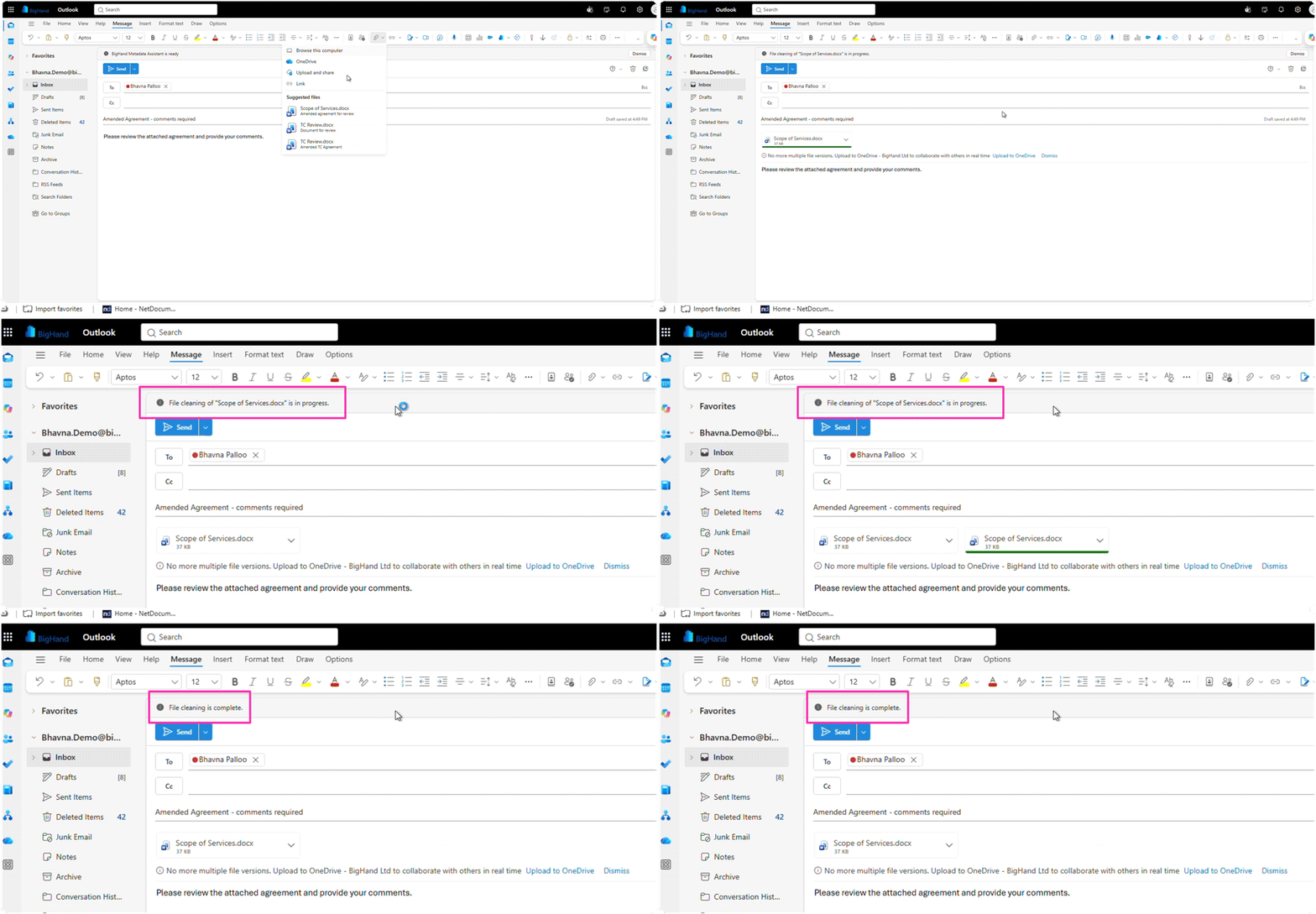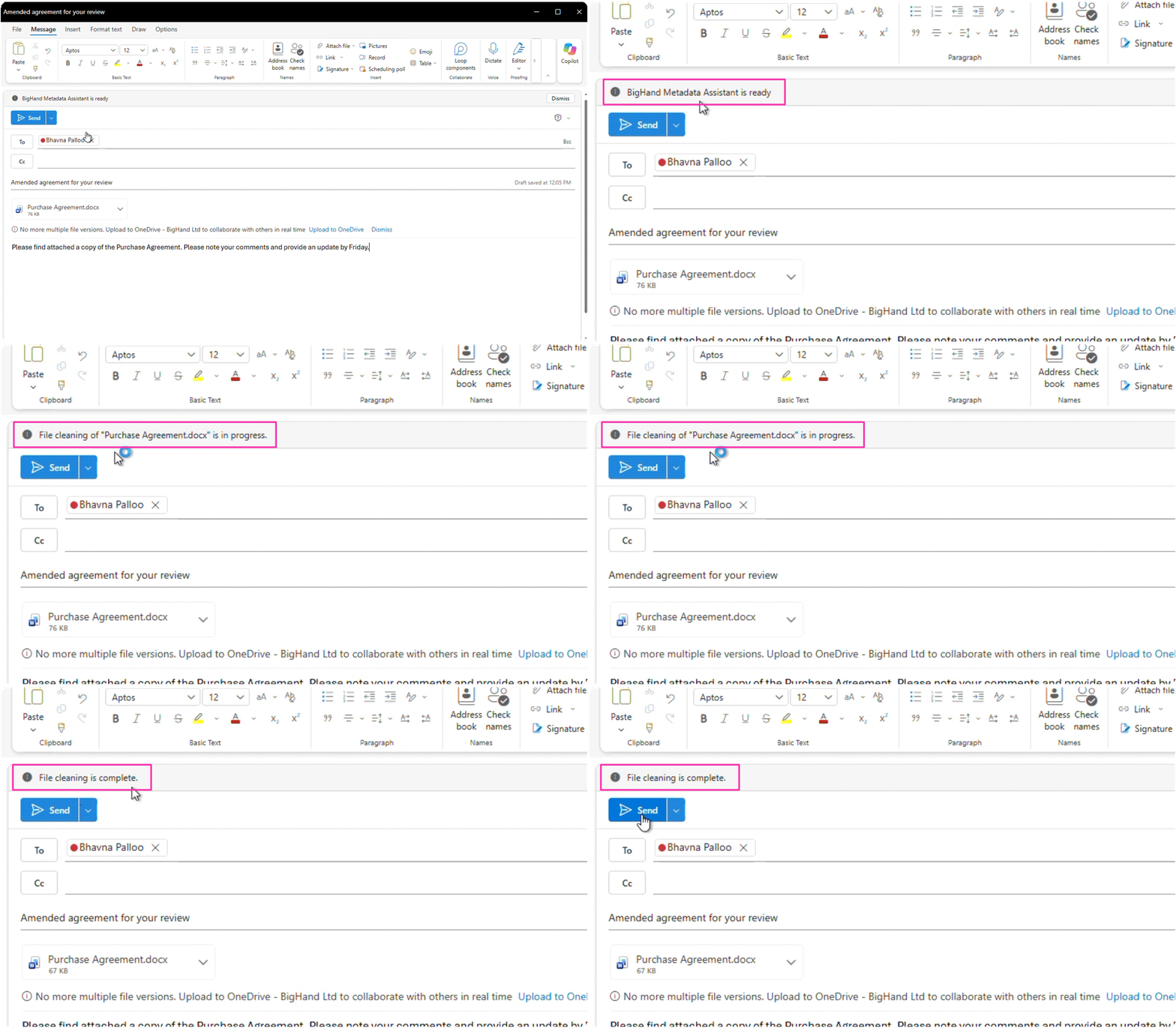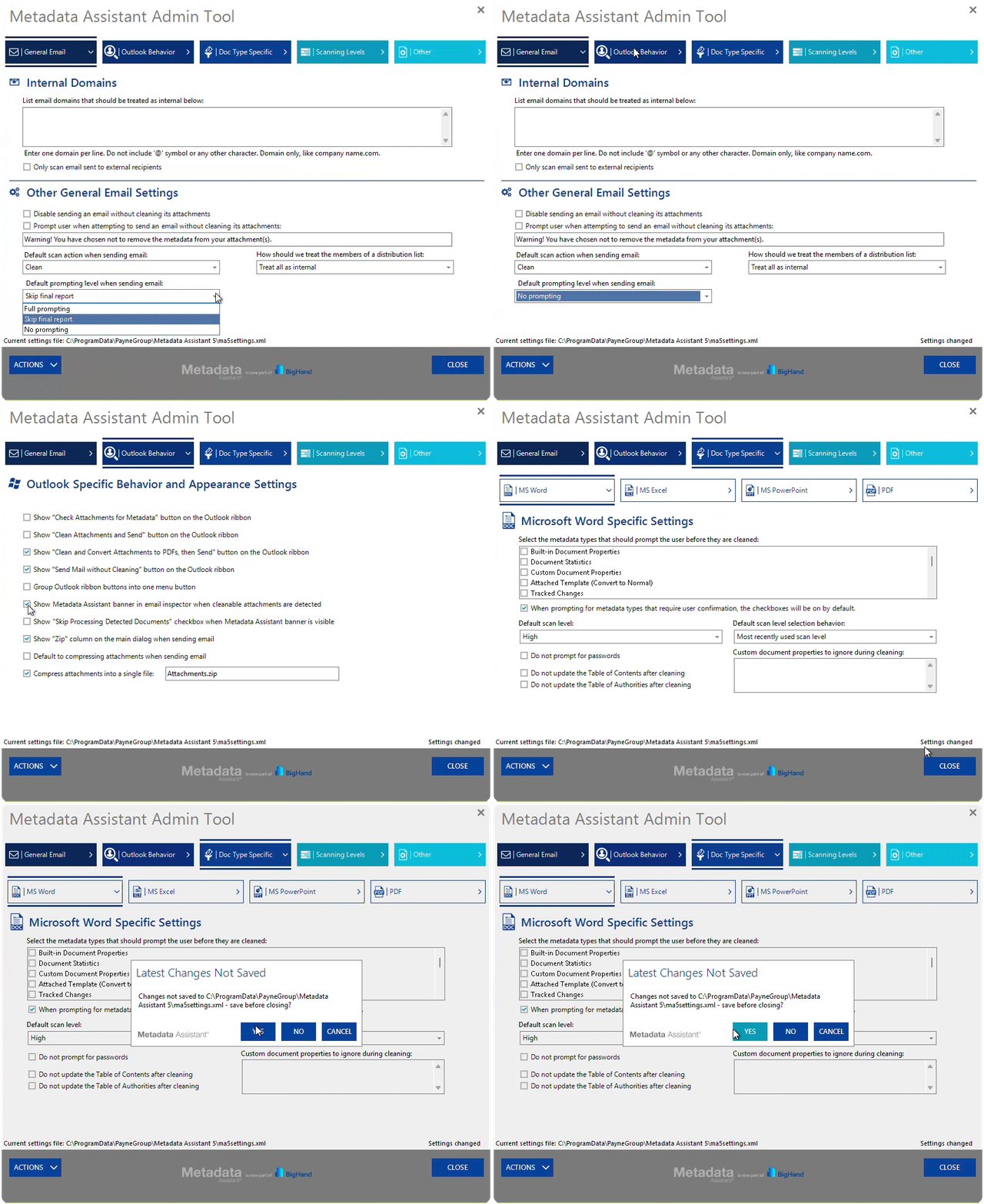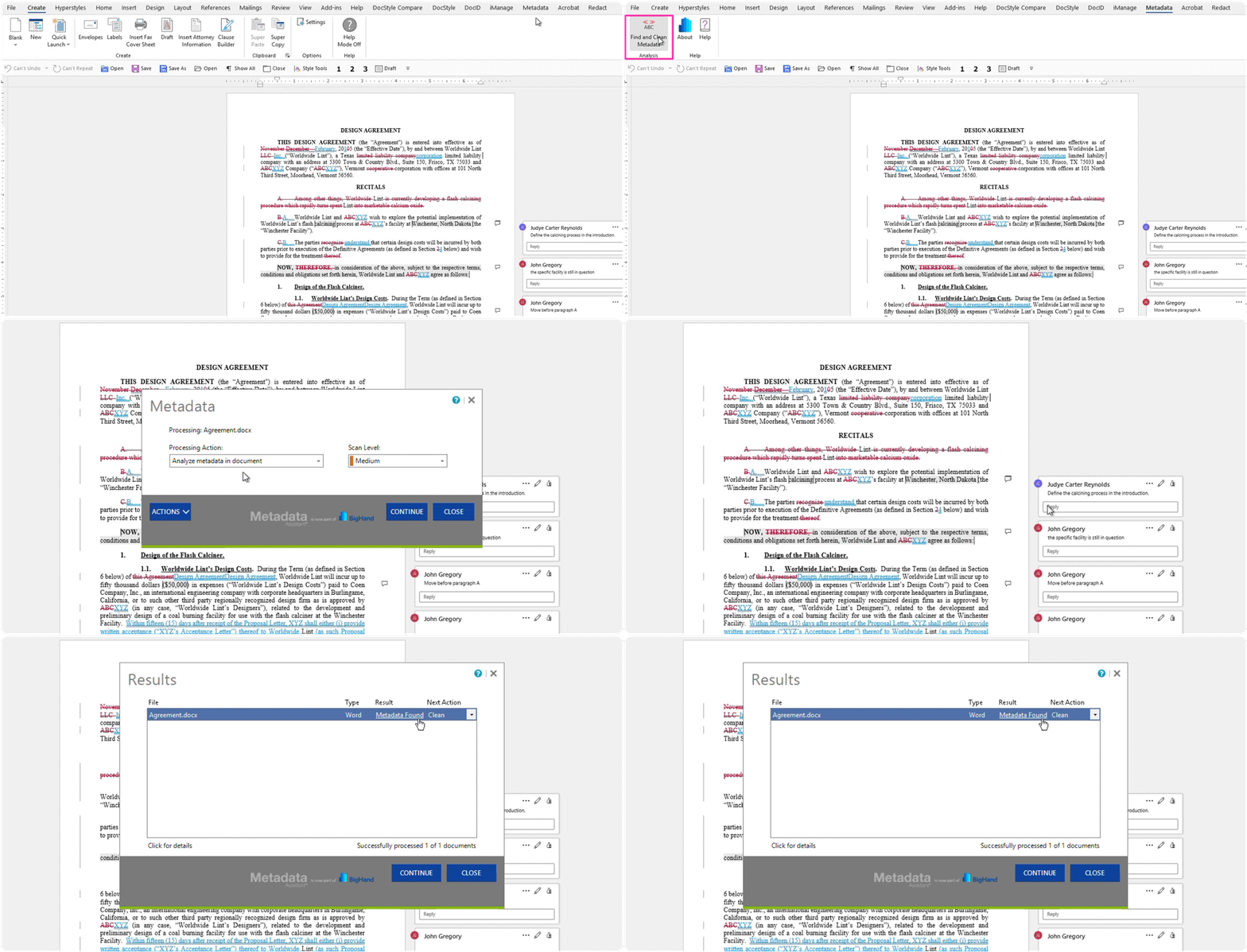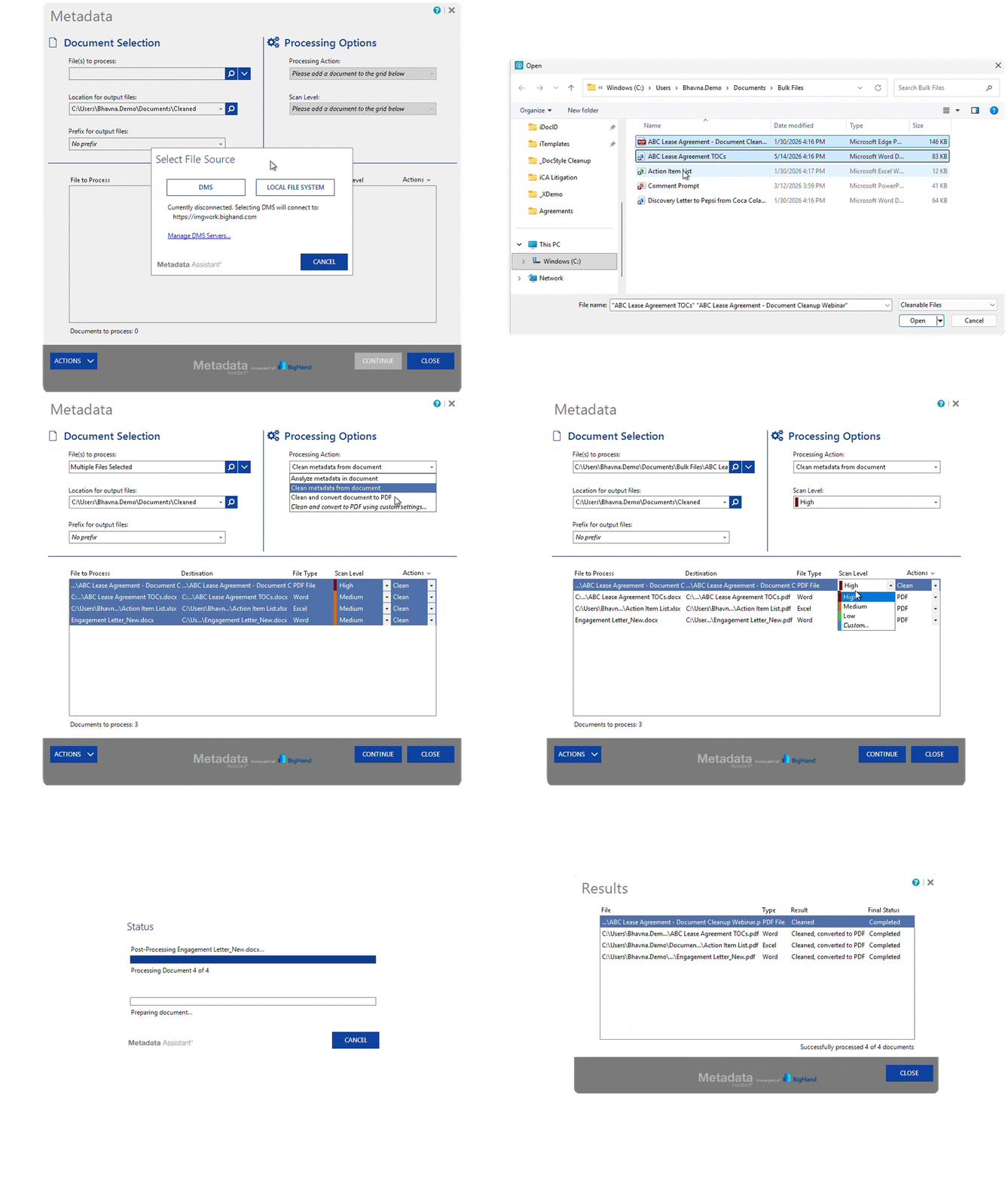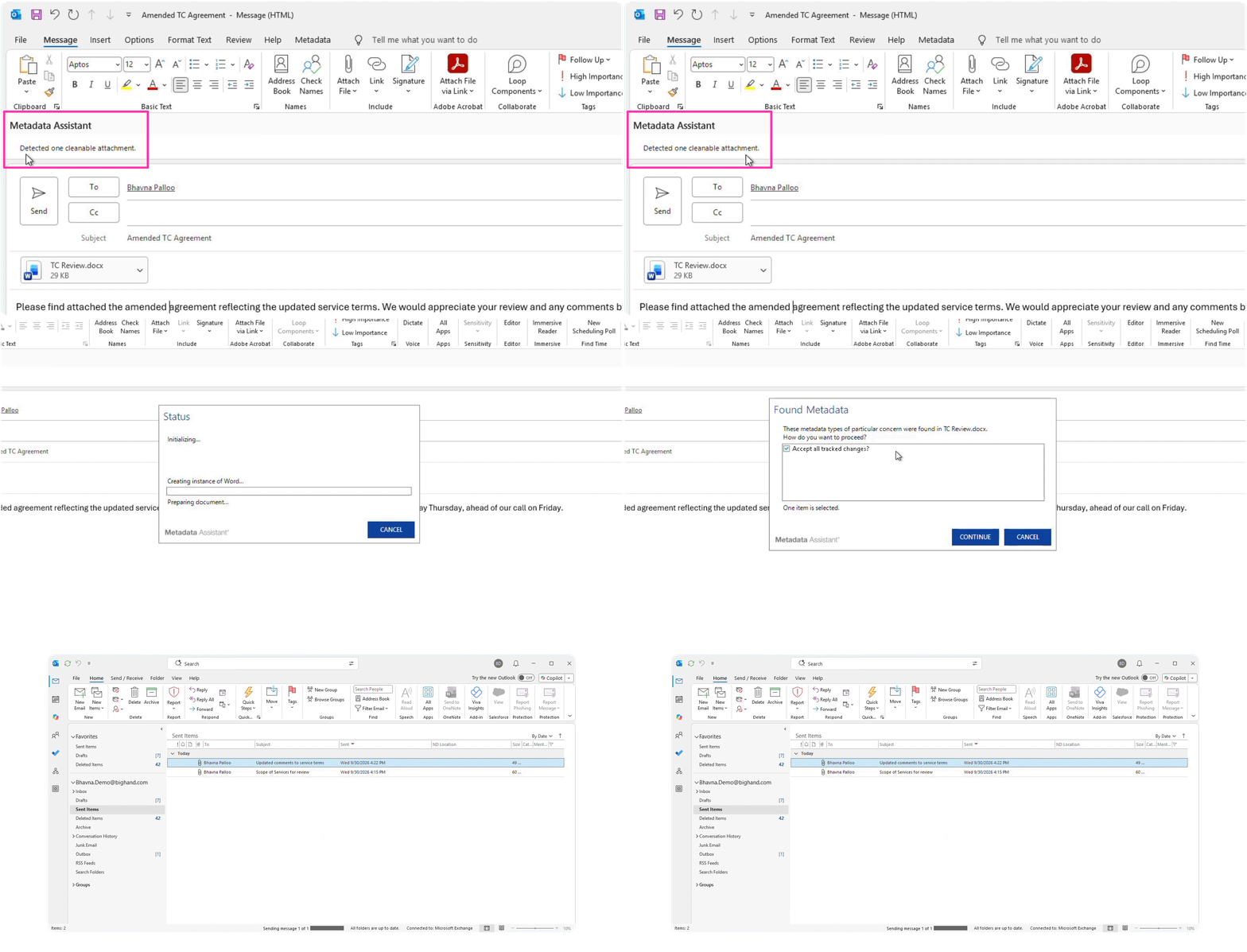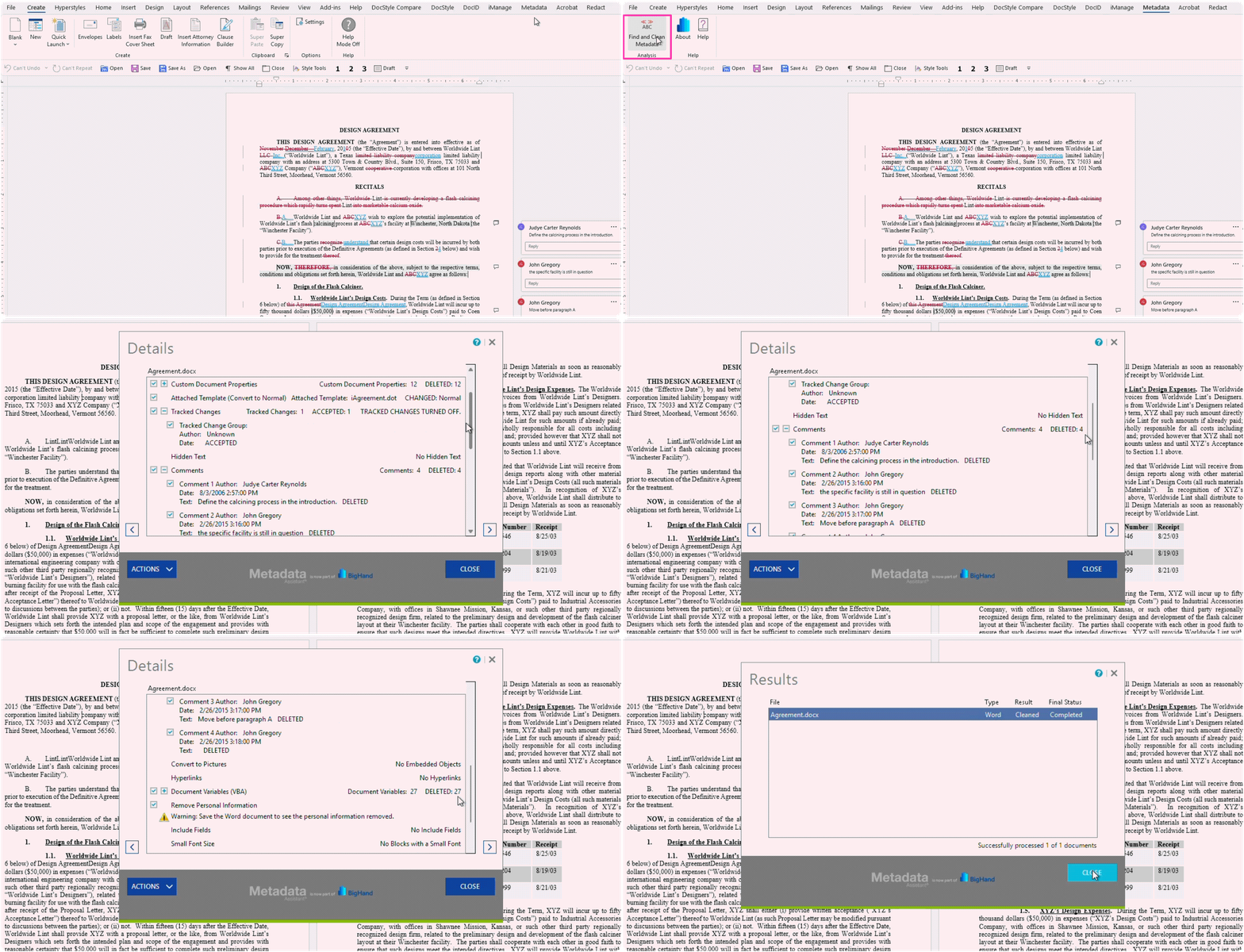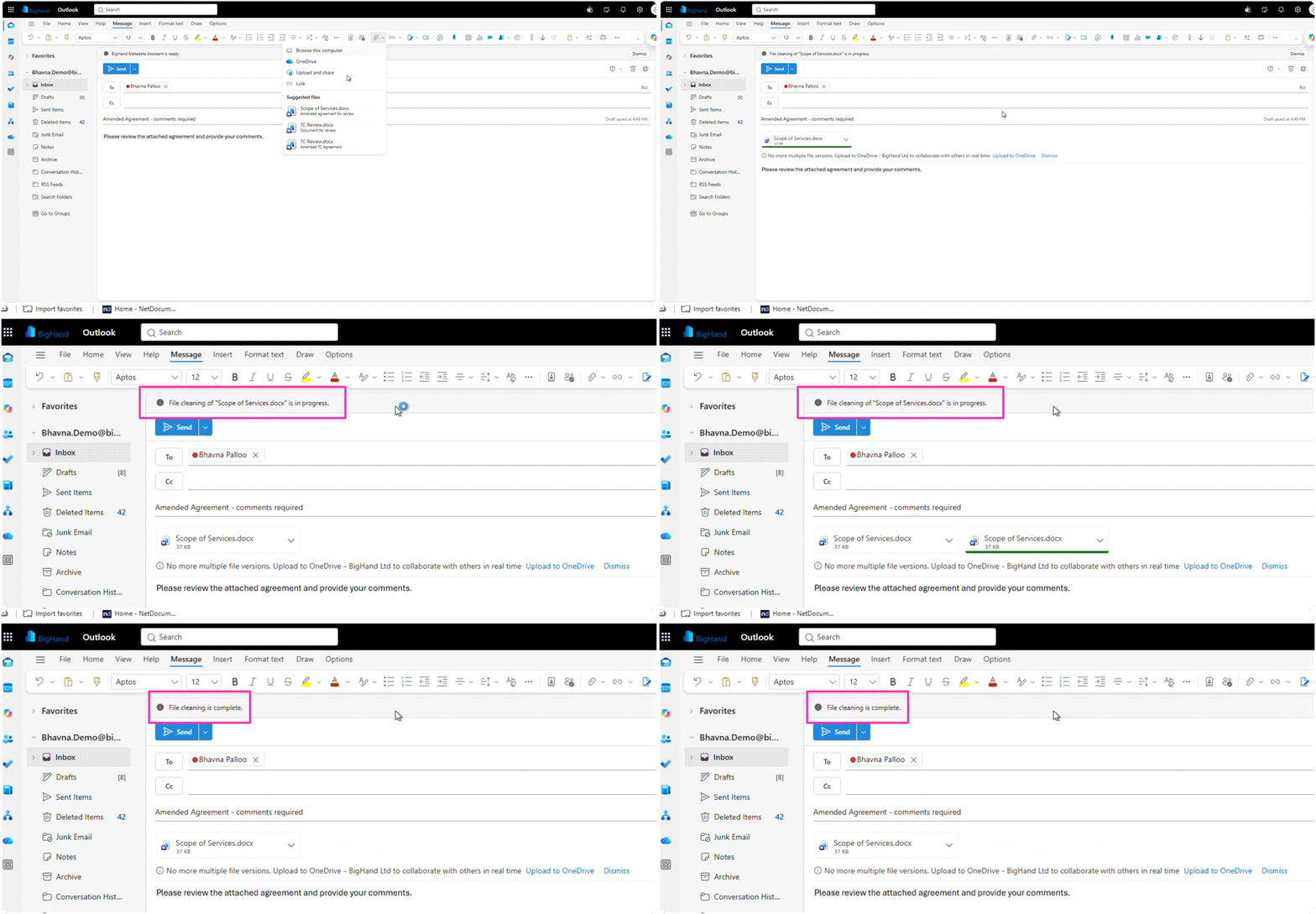







Track changes, author names, comments, revision history and document properties travel with a file long after the work is done. One overlooked item can put client confidentiality and trust at risk. BigHand Metadata Management detects information risk before files leave the firm, giving visibility into document content, recipients and applicable policy.
See how BigHand Metadata Management works for firm leadership, IT and CISO teams, support teams, and lawyers.
BigHand Metadata Management applies firm policies consistently and addresses risk before files are sent.

Profitability protected
Reduce the risk and cost of accidental disclosure.

Client value
grown
Confidentiality handled by policy, not memory.

Performance unlocked
Protection automatically applied on every send.
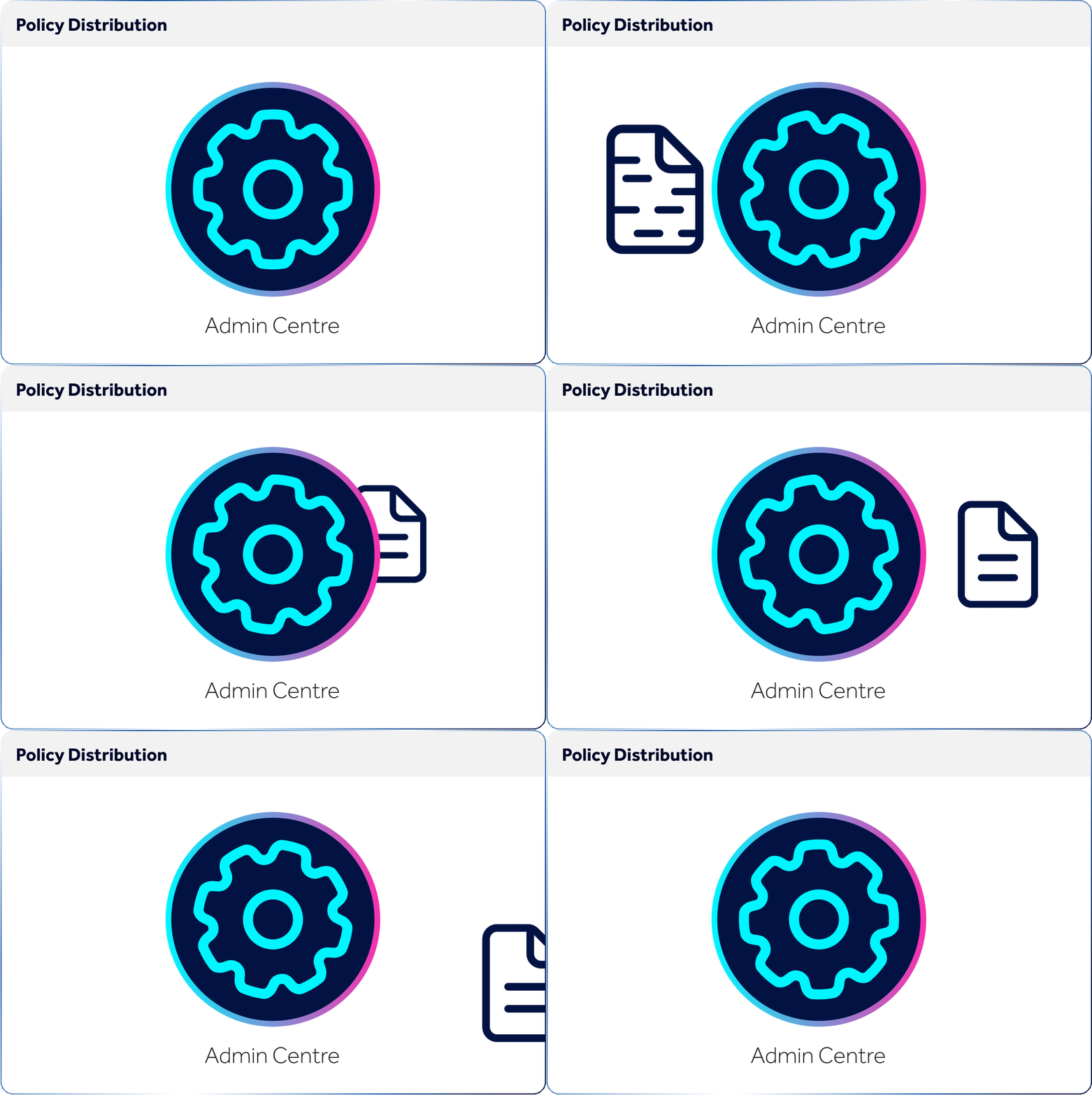
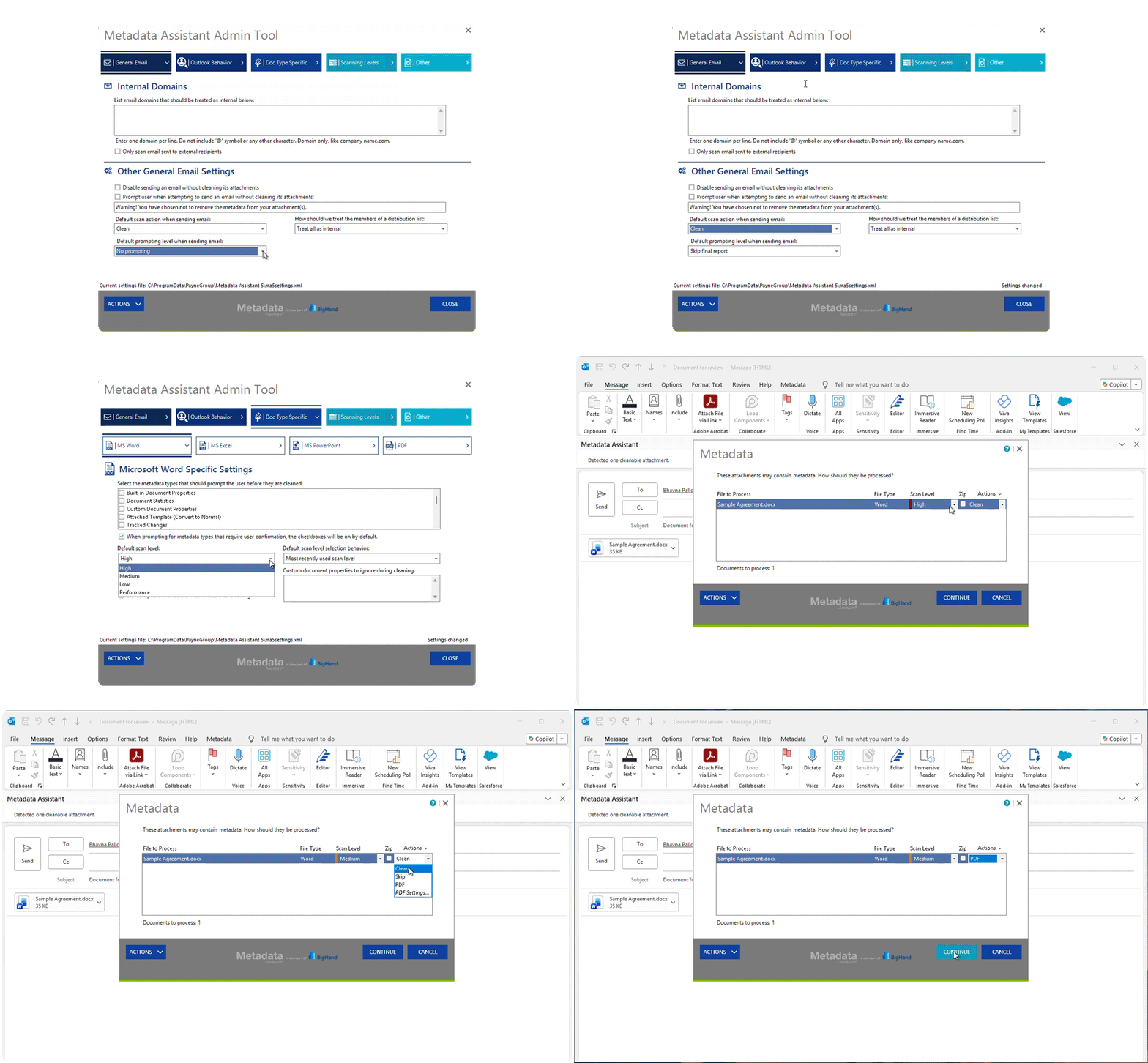
 Metadata Removal  Automatic Attachment Scrubbing  New Outlook and Web Support  Batch Metadata Removal  Central Admin Center  Configurable Settings |  Policy Distribution  Safety Prompts  PDF Conversion  Media and ZIP File Scrubbing  Web Add-in Architecture  Email and Document System Integration |
Put intelligence before every send with technology used by law firms around the world.
who trust BigHand Metadata Management.
Firm leaders and IT teams use BigHand Metadata Management to control what leaves the firm, on every document and every send.

Barry Nilsson optimizes workflows and enhances client service by migrating to BigHand Workflow Management Cloud, as the firm experienced rapid growth.

Charles Russell Speechlys replaces manual task delegation with BigHand Workflow Management, cutting average turnaround time from 99 hours to 18, while unifying support functions across the firm.

Dickinson Wright uses BigHand Workflow Management to centralize back-office operations and build resilience against rising support staff attrition.

Holland & Hart uses BigHand Workflow Management to bring visibility and structure to task delegation across lawyers and legal assistants.
Barry Nilsson optimizes workflows and enhances client service by migrating to BigHand Workflow Management Cloud, as the firm experienced rapid growth.
Charles Russell Speechlys replaces manual task delegation with BigHand Workflow Management, cutting average turnaround time from 99 hours to 18, while unifying support functions across the firm.
Dickinson Wright uses BigHand Workflow Management to centralize back-office operations and build resilience against rising support staff attrition.
Holland & Hart uses BigHand Workflow Management to bring visibility and structure to task delegation across lawyers and legal assistants.

Managing our clients’ document metadata is of the utmost importance to ensure integrity of data and confidentiality. [...] It quickly became apparent that BigHand Metadata Management was the best fit for our firm.
Sean Farrell, Network Administrator, Hughes Amys

Metadata is information stored inside a file that is not visible on the page. In a legal document that includes track changes, author names, comments, edit time, earlier versions, and document properties. This data can remain embedded when the file is shared, exposing information that was never intended for the recipient
Metadata scrubbing is the process of removing hidden information from documents before they are shared outside the firm. BigHand Metadata Management removes items such as track changes, comments, author names, and document properties automatically, according to firm policies
Hidden metadata can expose confidential information that was never intended for a client, a court or a third party. BigHand Metadata Management reduces that risk by applying metadata scrubbing automatically, before documents leave the firm, rather than relying on anyone to run a check.
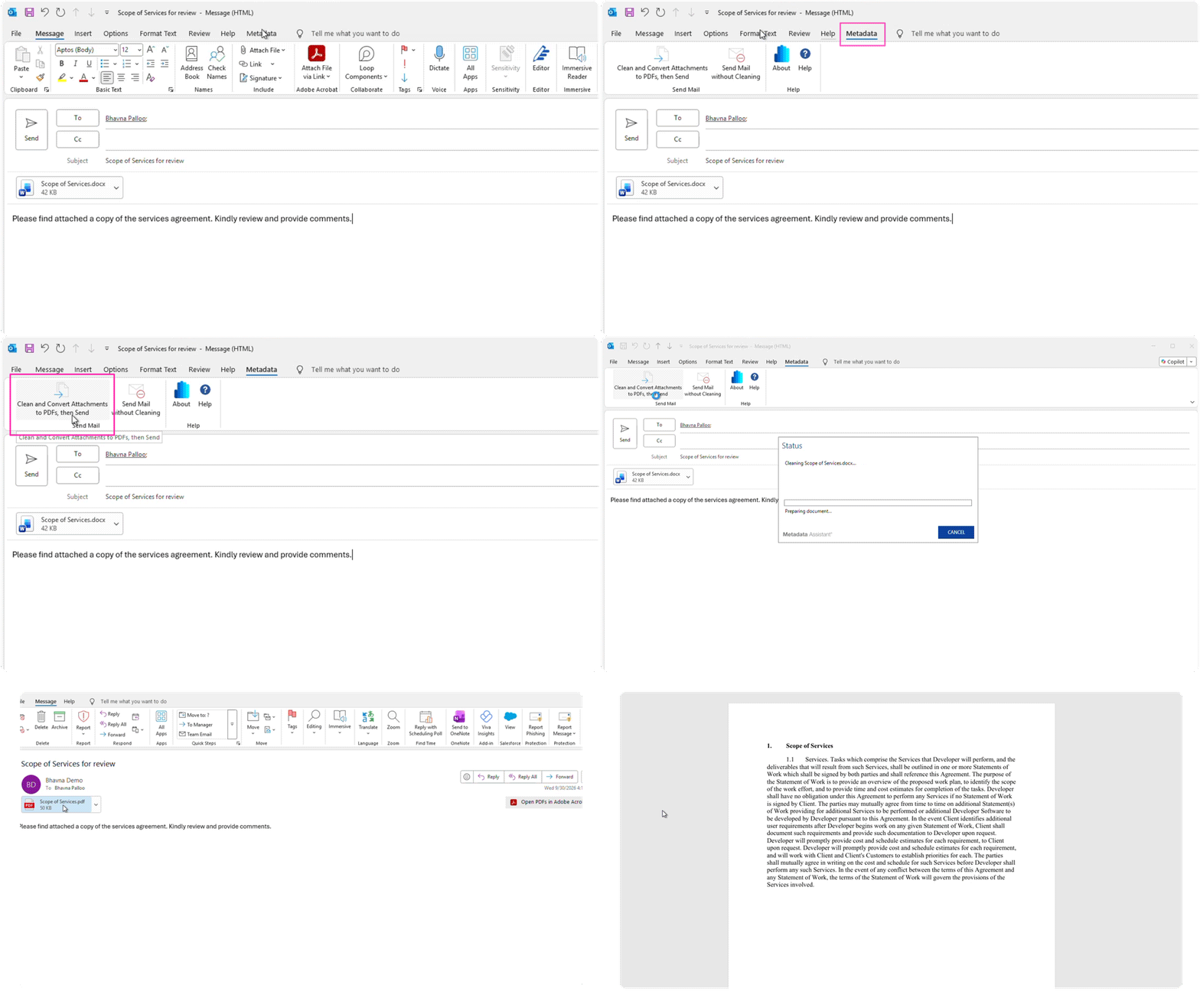
Yes. BigHand Metadata Management is available in classic Outlook, New Outlook, and Outlook on the web. Attachments are scrubbed against the firm’s configured policy during the send process, so a firm moving to New Outlook can maintain the same document controls it had before the migration.
BigHand Metadata Management scrubs Microsoft Office documents and PDFs before they are shared externally. Firms configure policies that determine what metadata is removed and at what point the scrubbing is applied.
BigHand Metadata Management integrates with Microsoft Outlook, New Outlook, Outlook on the web, and the document management systems law firms already use. Metadata protection is applied within existing workflows rather than through a separate manual process.
Microsoft Document Inspector requires users to remove metadata on individual files within the application. BigHand Metadata Management applies firm policy automatically and scrubs every outbound file during the send process, with policies managed centrally rather than left to each individual.
BigHand Metadata Management is built for law firms of any size, from global firms to growing regional practices. More than 800 sites worldwide have BigHand Metadata Management installed. BigHand has worked alongside law firms for over 30 years and supports 3,300 firms and over 810,000 professionals.
Implementation timelines vary based on firm size, infrastructure, and policy requirements. BigHand works with each firm to configure metadata policies, integrate with existing systems, and support user adoption, helping ensure a smooth implementation process.


© 2026 BigHand. All Rights Reserved. Various trademarks held by their respective owners.